
Split any song and practice your instrument
Upload a track and get separated stems for vocals, drums, bass, guitar and piano in minutes, plus drum notation, tabs and lyrics to sing along. Mute what you are going to play and play on top.
2 songs per month free · No card needed · Sign in with Google
Three steps and you're playing
Nothing to install: it runs in your browser.
Upload your song
MP3, WAV, FLAC, M4A and more. Choose whether you want drum notation, guitar or bass tabs, and lyrics for karaoke.
We split it with AI
In a few minutes you get vocals, drums, bass, guitar, piano and the rest as independent tracks. Your original file is deleted when it finishes.
Practice on top
Mute or solo any track, loop a passage, follow the notation on screen and play or sing along with the rest of the band.
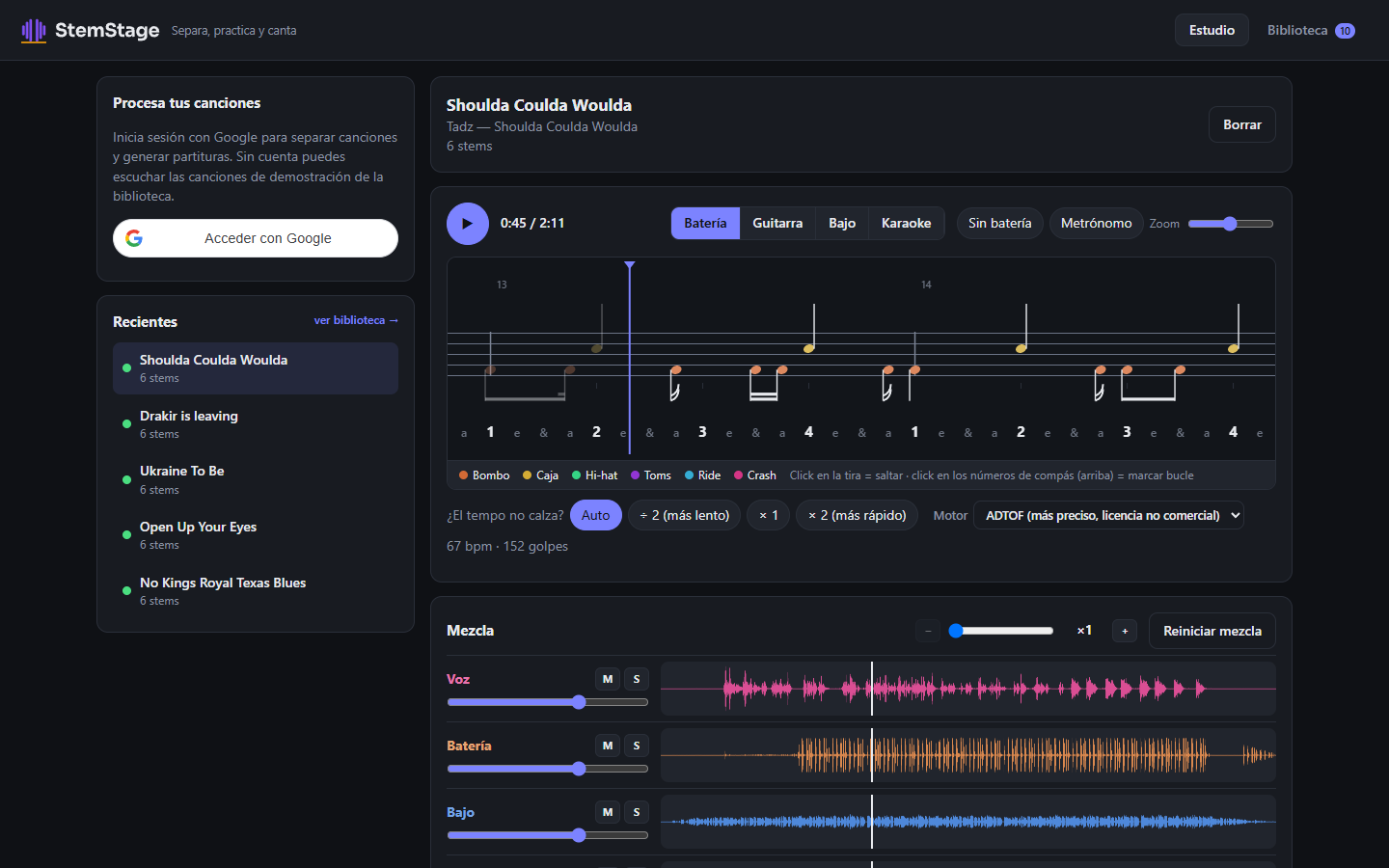
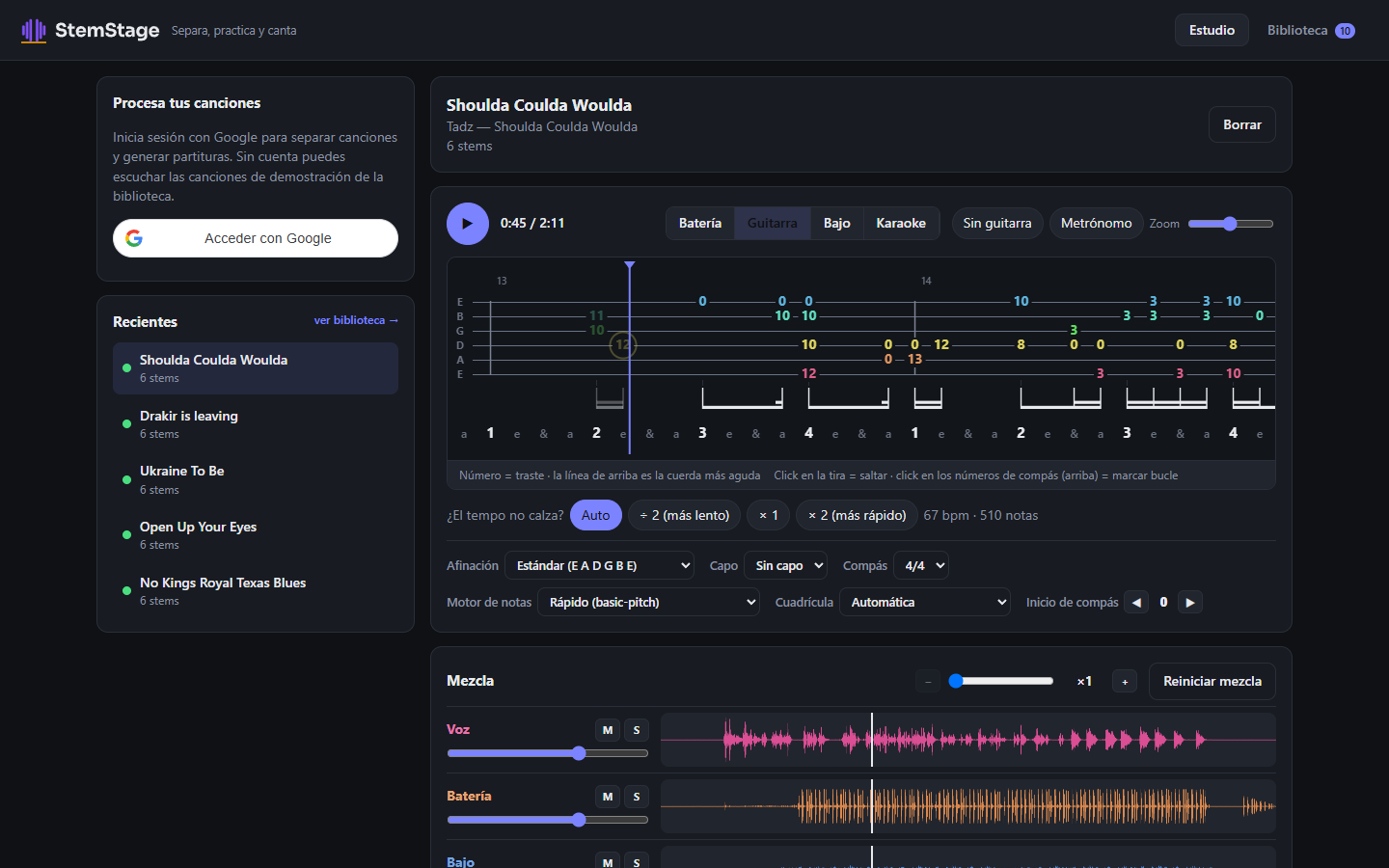
Drum notation and tabs
The notation scrolls with the song and highlights what's playing. Guitar and bass too, with adjustable tuning and capo.
- Drums with one line per piece: kick, snare, hi-hat, toms, ride and crash
- Guitar and bass tabs synced with the audio
- Download the notation as PDF, MusicXML or MIDI
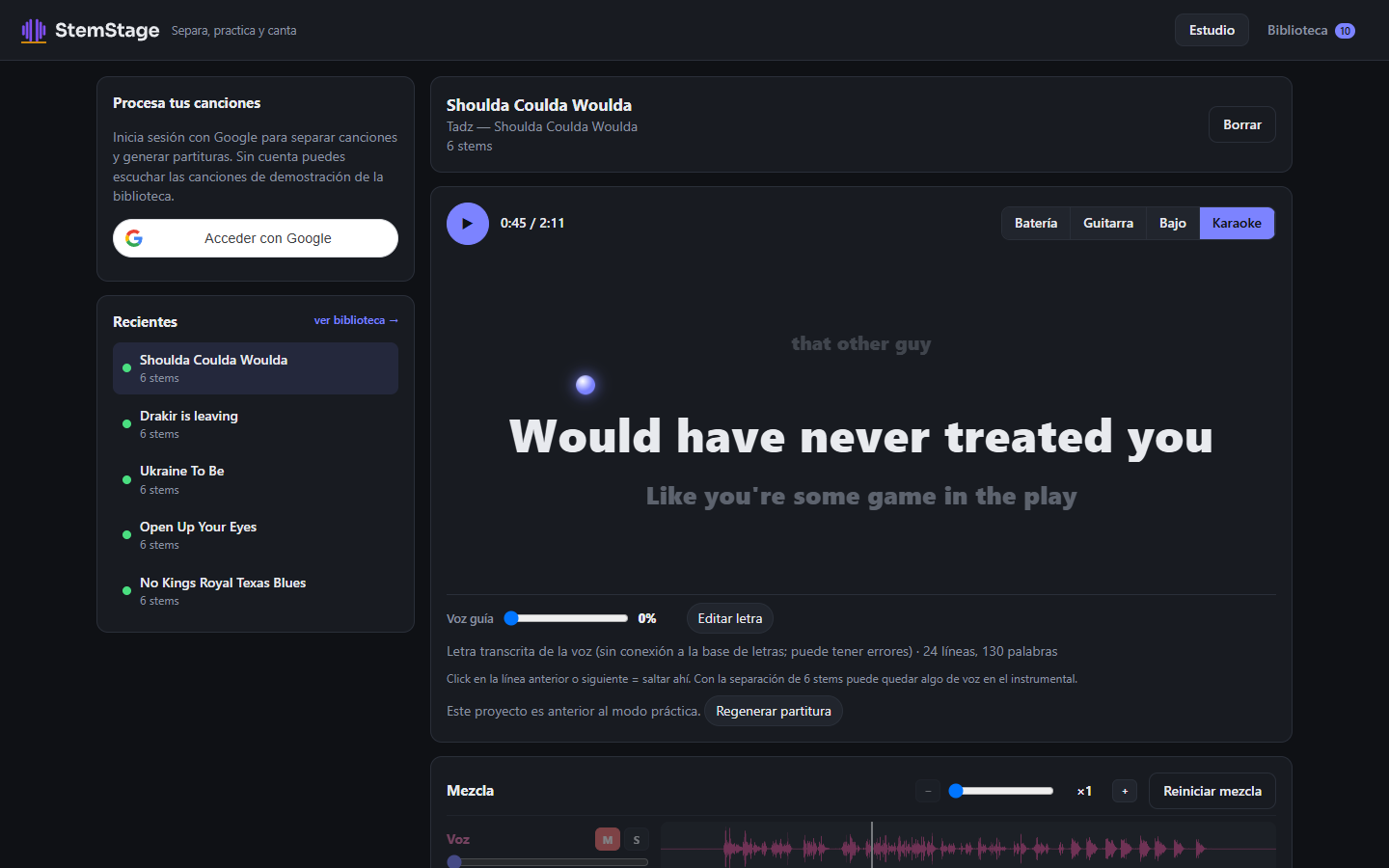
Karaoke with lyrics in time
Sing without the original vocal, with the lyrics highlighted word by word. Want a guide? Bring the voice up a little.
- Lyrics found online and aligned to the voice, or transcribed if none exist
- Fix or paste the lyrics and they are re-aligned
- Guide vocal to taste: from silence to the full voice
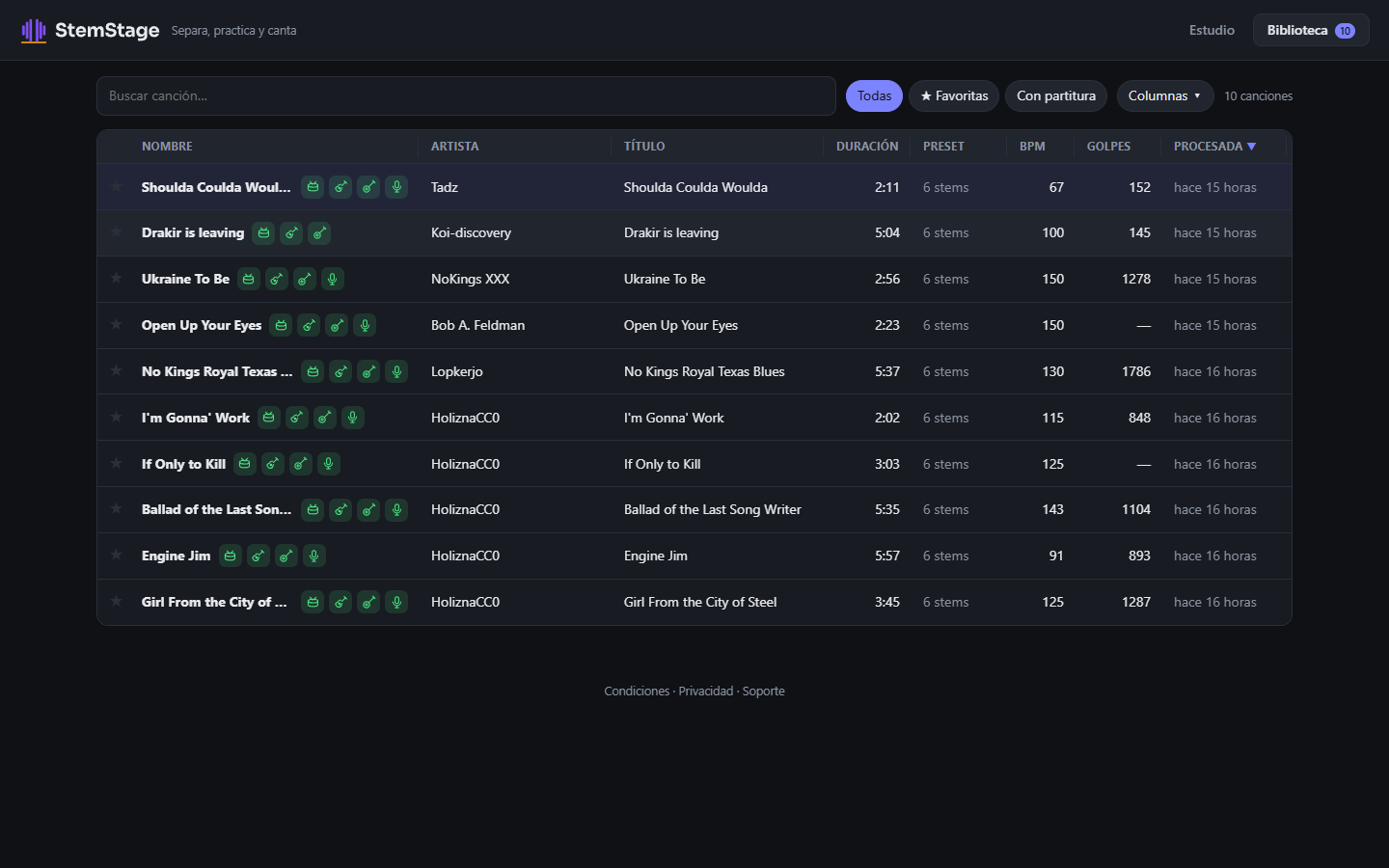
Your practice library
Everything you process is saved: search, star favorites and pick up where you left off, from any device.
- Sort by artist, length, tempo or last practiced
- Icons show what each song includes: drums, guitar, bass or karaoke
Try it now, no account needed
There are three already-processed demo songs with free licenses, so you can play with the mixer before signing up.
Start free, grow when you need to
Prices in US dollars. No lock-in.
Free
- 2 songs per month
- Stems, notation, tabs and karaoke included
- Up to 25 projects in your library
- Projects not opened in 90 days get locked (not deleted)
Pro
- 25 songs per month
- Your songs go first in the queue
- No project cap, no expiry
- Instantly unlocks what you saved if you come back from the free plan
The Pro plan can't be purchased yet. Sign up and we'll tell you as soon as it's ready.
Frequently asked questions
How long does a song take?
A four-minute song usually takes one to two minutes, depending on how busy the queue is. Pro accounts go first.
Can I download the separated tracks?
No. Stems and the mix play inside StemStage, for practice. You can download the notation as PDF, MusicXML or MIDI.
What happens to my original file?
It is deleted from the server when processing finishes. We keep the results in your library until you delete them. Details are in the privacy policy.
Do I need rights to the song?
Yes. When you upload a song you declare that you have the original and the right to use it. StemStage is a personal practice tool and grants no rights over the works. If you are a rights holder and want a work removed, write to us through Support.
Does it work with any genre or instrument?
It separates vocals, drums, bass, guitar, piano and the rest in any genre. Drum notation and tabs are automatic transcriptions: good for studying, but they can contain errors, especially in very dense passages.
What if I need help?
Write to us from the support page.